Setting up Copilot for your team
Get Copilot up and running so your support team can work with AI assistance.
While Fin helps your customers, Copilot helps your team.
Copilot gives every support agent a personal AI assistant so they can work smarter, faster, and deliver truly remarkable customer experiences.
With Copilot seamlessly integrated into your inbox, you can get instant, accurate, and contextually relevant answers sourced from your team’s conversation history, internal articles, public articles, macros, and external content.
This lesson is part of the Setting up your AI-first helpdesk course.
Prerequisites
Before setting up Copilot, make sure you have the following in place:
- Knowledge content: Published help articles, internal articles, or macros that Copilot can draw answers from. The more comprehensive your content, the better Copilot will perform.
- Conversation history: Previous customer conversations in your Intercom workspace. Copilot uses these to suggest relevant responses based on how your team has handled similar questions before.
Video transcript
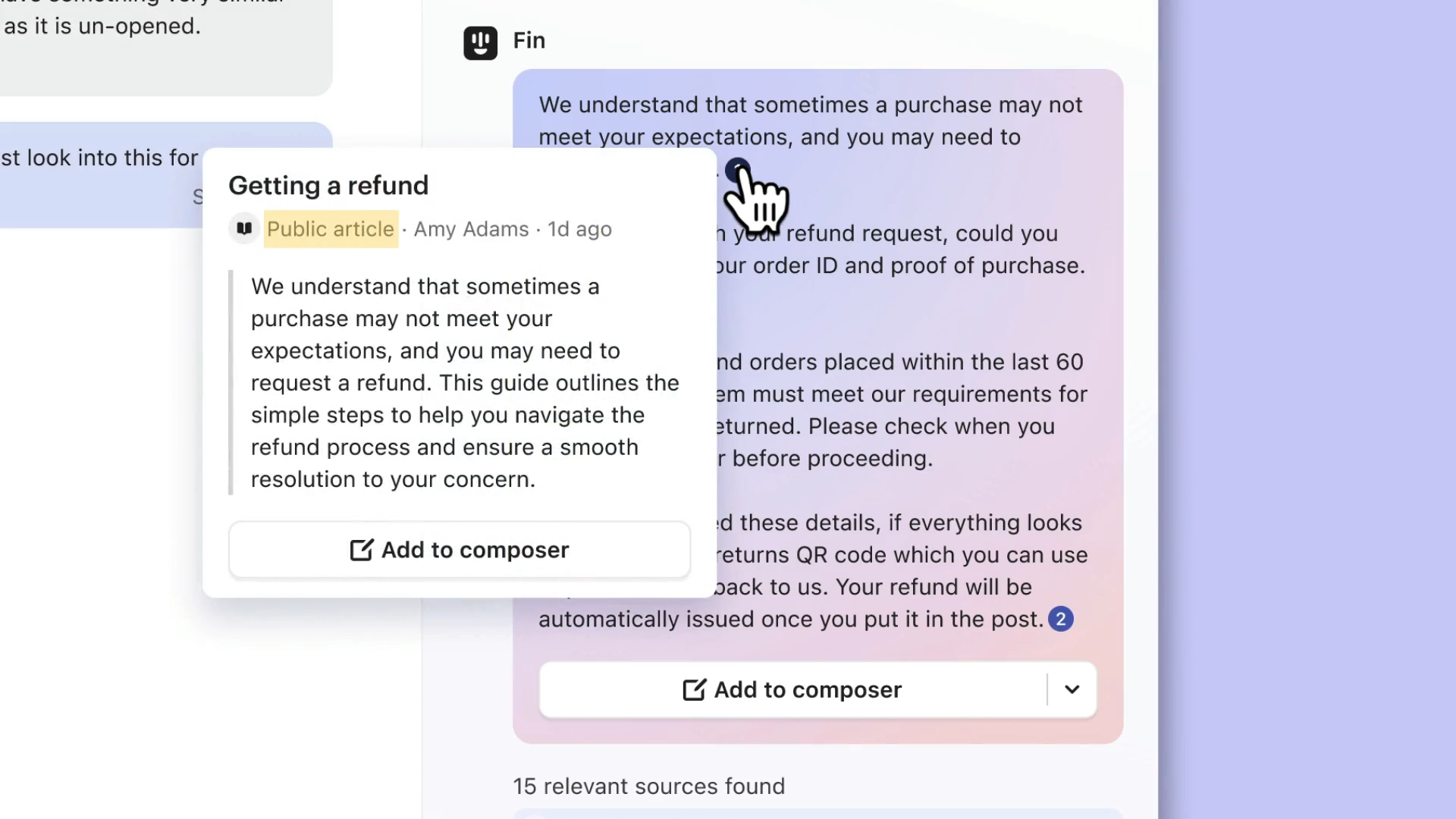
Fin AI Copilot is your team's new AI assistant. Just ask it a question, and it generates a highly accurate answer. Pulling context from your public help content and even from previous conversations. You can add the answer to the composer in just one click and quickly personalize it using AI too. Let's make this answer sound more like us. And our AI Copilot pilot does more than just answer questions. Your agents can use it to get advice too. When you ask a follow-up question like this, it's aware of everything that has been asked before, enabling it to generate a more accurate response. And Fin always flags answers based on internal content before you share them too. So Fin AI Copilot can help your agents in three ways. One, generate answers to share with customers. Two, offer guidance to your agents based on internal resources and previous conversations. And three, make it easy for agents to browse and validate sources without leaving the conversation. Fin AI Copilot increases agent efficiency by thirty one percent. So stop searching and ask Fin AI Copilot.
Setup
Step 1: Enable Copilot for your team
Go to Settings → Workspace → Teammates. For each teammate, you can set their Copilot access to one of three levels:
- Included: 10 free Copilot conversations per month (enabled by default for all full-seat teammates)
- Unlimited: Removes the conversation cap ($29/mo per teammate on annual billing, $35/mo on monthly)
- Off: Disables Copilot for that teammate entirely
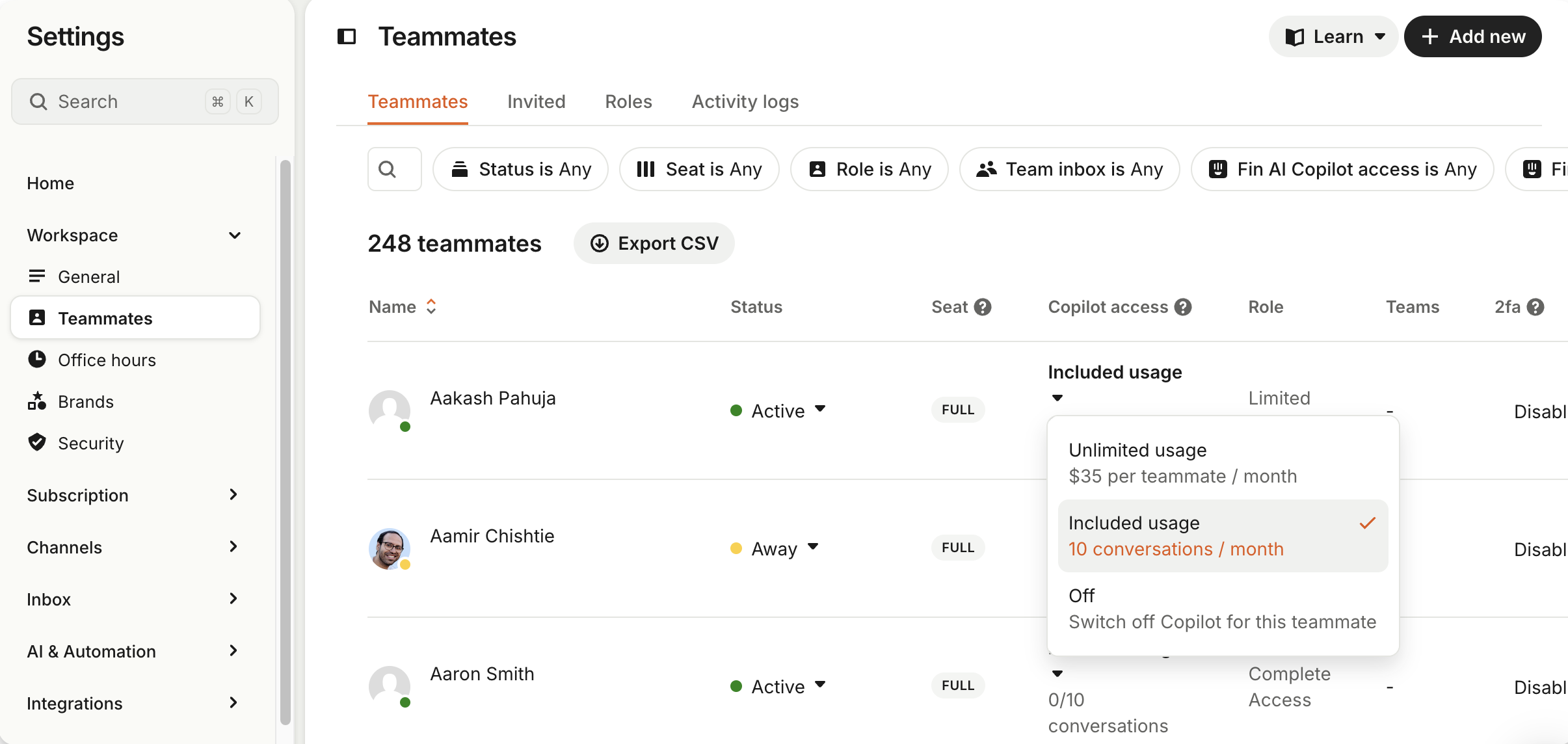
Note: Only teammates with full seats can use Copilot. Lite seat holders won’t see the option.
Step 2: Configure Copilot’s knowledge sources
Just like Fin, Copilot is only as good as your help content. It will only become truly effective at assisting your team when it has a strong knowledge base to draw answers from. We’ll explore setting up your knowledge base in the next phase of this course.
As your knowledge base develops, Copilot will surface better answers from your articles, macros, and conversation history. For now, encourage your team to start using it in their first few conversations so it becomes a natural part of how they work.
Resources
