
Structuring customer and conversation data in Intercom
Learn how data powers insights and automation in Intercom.
Once your customers are in Intercom, the next question is: what data do you need to track, and how should you structure it? This lesson walks through the different types of data available in Intercom and how each one contributes to an exceptional AI-first support operation.
This lesson is part of the Setting up your AI-first helpdesk course.
Video transcript
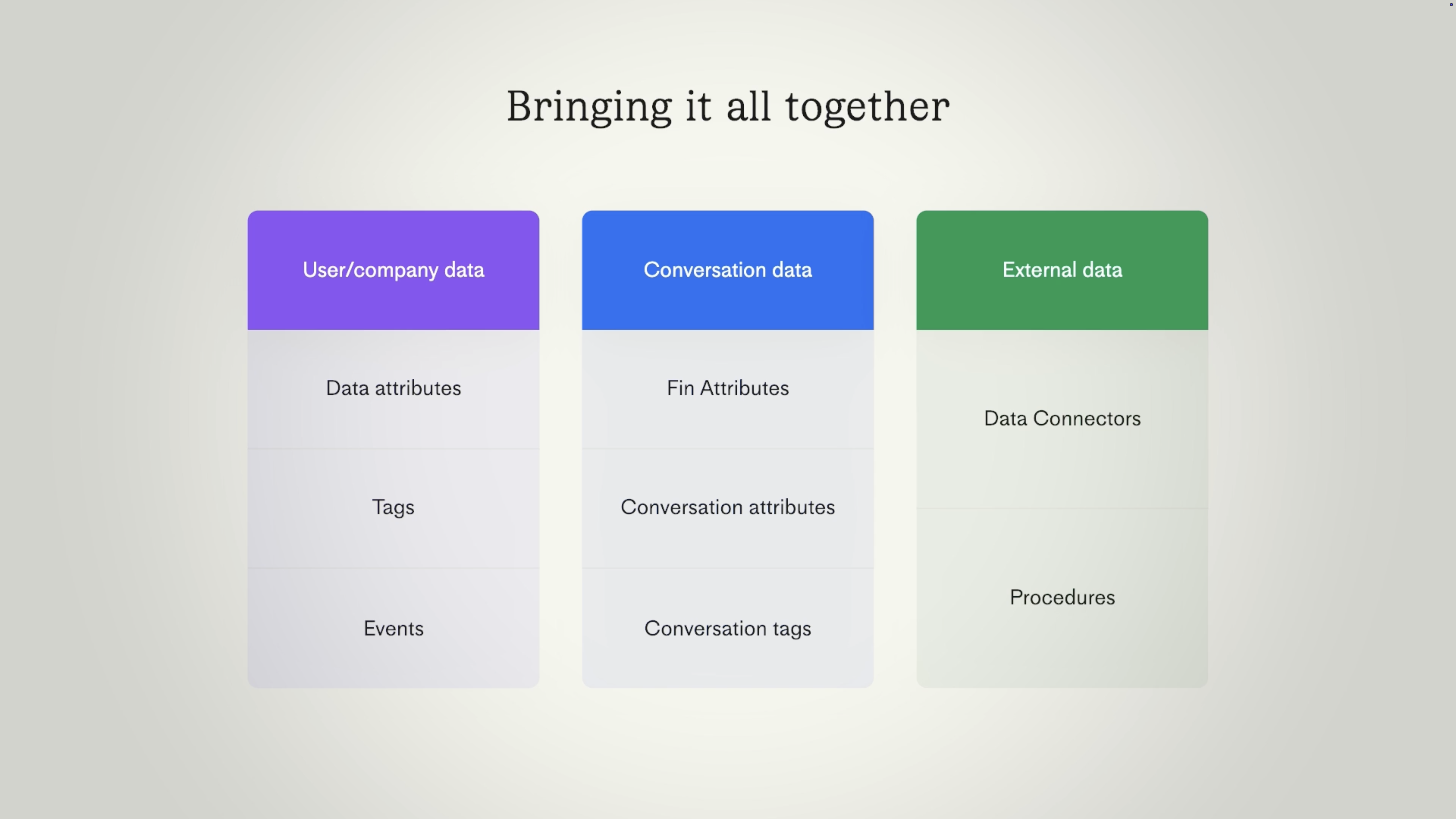
In AI first support, data isn't just important, it's foundational. It's what Fin uses to personalize every response. It's how workflows know where to route a conversation. It powers audience targeting so different customers get different experiences, and it's what makes your reporting actually reflect reality. So let's explore the different types of data you're working with and what you can do with them. Data attributes form the most fundamental layer of customer data. At the user level, that's things like name, email, or region. And at the company level, it might be plan, size, or monthly spend. These are standard attributes, but you can also create custom ones to suit your needs. You can also apply tags to people and companies. These are more flexible, lightweight labels useful for temporary or evolving use cases. For example, marking someone as part of a beta or flagging a company as a churn risk. And then there are events, the actions your customers take in your product. Things like page views, usage of particular features, or purchases that you can track in reporting or use to trigger proactive messages. We can also track data at the conversation level. Traditionally, this has been handled in two ways, through conversation attributes and tags. First, conversation attributes are structured fields like issue type or product area that teammates manually fill in during a conversation, and they can be required before closing to ensure they're consistently tracked. And second, conversation tags, which are lightweight labels applied manually or in workflows using simple rules like keyword matching. But as Fin handles more and more of your support volume, these methods of data tracking take a backseat to Fin attributes, which are far more powerful in an AI first support environment. You can define Fin attributes to track whatever you like, such as issue type, urgency, or sentiment. And the key difference here is Fin will automatically categorize every conversation it handles by understanding your customer's natural language, unlocking smarter escalations, faster, more accurate routing, and deep insights you can use to improve performance. So you can start by mirroring key data you're already tracking in your current setup, but it's also worth thinking ahead. Identify which Fin attributes can add value early on and add more over time as you move towards an AI first support model. We'll talk more about Fin attributes in a later lesson. And finally, customer data doesn't stop at Intercom. Using data connectors, Fin can pull in real time information from your external systems via API. So when a customer asks, where's my order? Fin doesn't have to guess. It can fetch the live status from, say, Shopify and give a real answer. And with procedures, it goes even further. Fin can work across multiple systems at once, not just retrieving data, but updating it too. So it can handle complex, multi step procedures like processing refunds or advanced troubleshooting. Now that you understand the different types of data you can use, you can map your current setup to how things work in Intercom. Think carefully about what you want to replicate and what you might want to set up differently so you can keep processes consistent for your team and also enable Fin to handle more of your frontline support as you scale.
Fin Attributes vs. conversation data attributes
In AI-first support, Fin Attributes become more valuable than other types of conversation data. Fin Attributes are detected and applied automatically by Fin during every conversation it handles. Your conversation data is classified consistently, in real time, without relying on teammate discipline or memory.
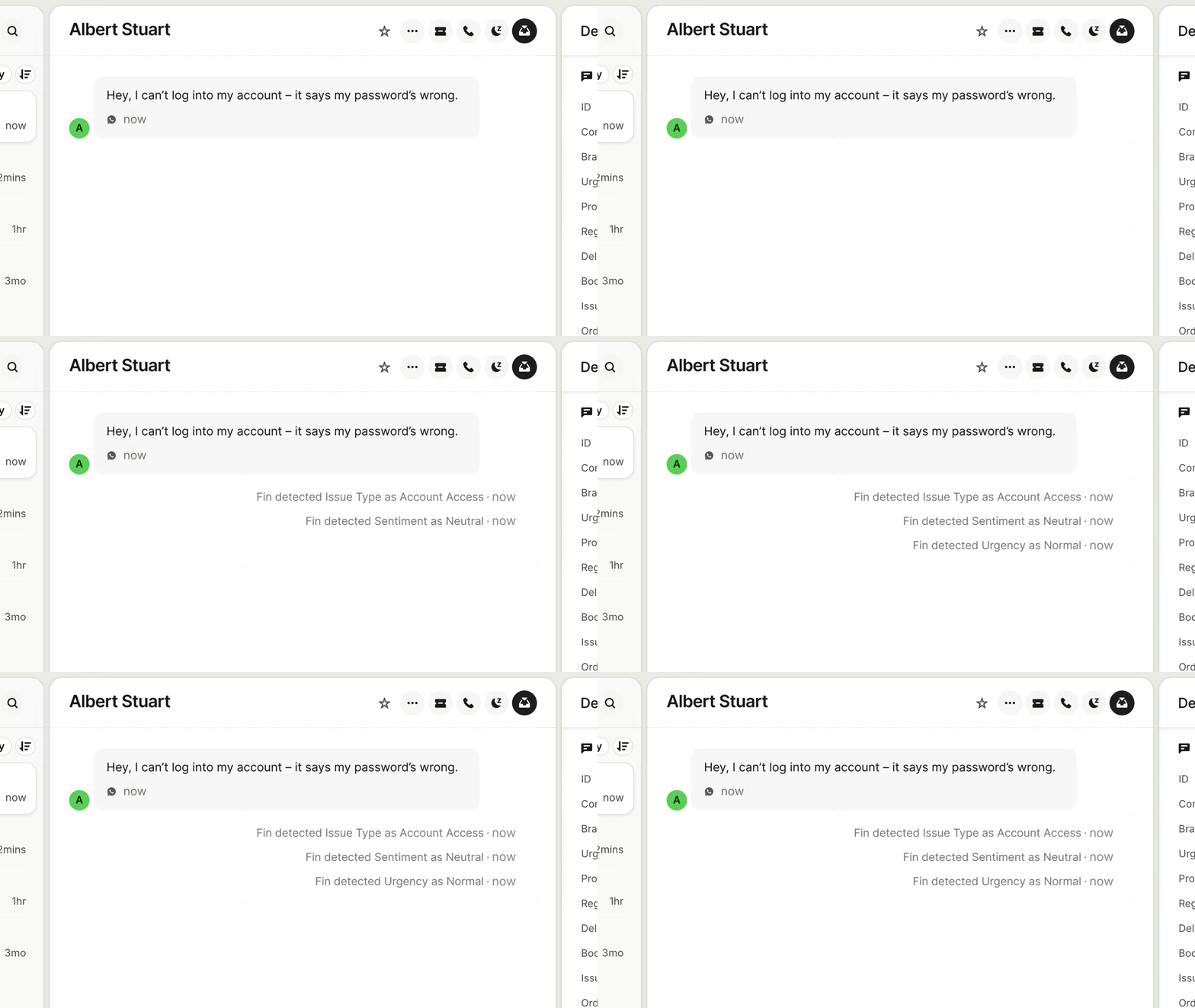
That consistency is what makes everything downstream work. You can build workflow rules that route conversations based on Fin-detected topic or sentiment, create inbox views that surface specific issue types to the right team, and generate reports that actually reflect what customers are asking about.
Conversation data attributes and tags still have a role, but they should be the exception, not the rule. If Fin can detect it, make it a Fin Attribute. Learn more about Fin Attributes on the Help Center.
Resources
- How to create Fin Attributes – setup, value descriptions, and best practices
- Add and manage your data attributes – conversation data attributes and tags
