Topics Explorer
Know exactly what’s driving support volume, no tagging or manual effort required.
Understanding what’s driving your support volume shouldn’t require manual tagging or digging through endless reports. Topics Explorer automatically organizes conversations into clear topics and subtopics, so you can quickly see what customers are asking about and where to focus your efforts.
Prerequisites
To get the most value from Topics Explorer, make sure the following are in place.
- Fin deployed: Ensure Fin is live and handling customer conversations so topics can be generated from real interactions.
- Sufficient conversation volume: Allow conversations to accumulate so meaningful topics and trends can emerge.
- Pro add-on: Enable the Pro add-on to access Topics Explorer and AI-powered insights.
Video transcript
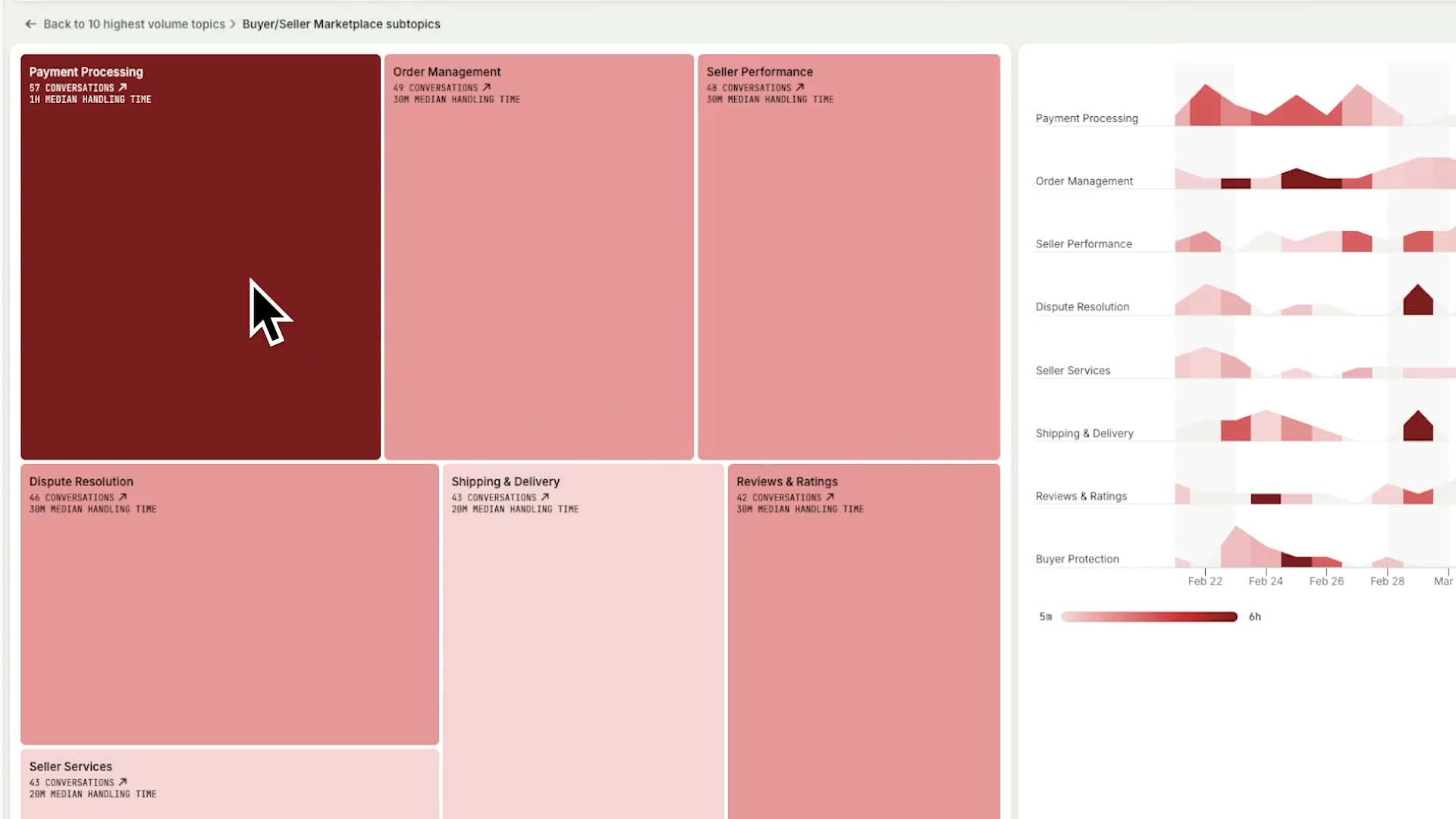
Traditionally, understanding what's driving your support volume means hours of manual tagging, digging through reports, and hoping you didn't miss something important. But now, Topics Explorer automatically organizes every conversation into topics and subtopics, giving you a clear picture of what your customers are asking about. Performance data is layered into, like customer experience score, resolution rate, and handling time. The darker the shade, the greater the impact on the metric, so you can focus your attention on where it matters most. Here, a spike in this subtopics volume coincides with a drop in customer experience score. So let's drill in for a detailed summary and the conversations behind it to investigate the root cause. Explore topics and subtopics to catch emerging bugs early, see which issues are taking up too much of your team's time, and explore historical topic data to anticipate seasonal shifts, like here, where refund requests surged in early January last year, so you can prepare Fin and your team ahead of time. Topics Explorer turns thousands of conversations into a clear view of what's driving your support demand, So you can fix problems faster, uncover hidden insights, and continuously improve support at scale.
How topics are created and used
Topics Explorer uses AI to automatically group conversations based on shared themes, identifying both high-level topics and more specific subtopics within them. Instead of relying on manual tagging, the system continuously analyzes conversation content to detect patterns, emerging issues, and shifts in customer demand as they happen.
Each conversation is assigned to the most relevant topic and subtopic based on its content, allowing you to see exactly what customers are asking about at scale. This structured view makes it easier to connect performance metrics—like resolution rate, customer experience score, and handling time—to specific issues, helping you quickly identify where improvements will have the greatest impact.
Refining topics with curation
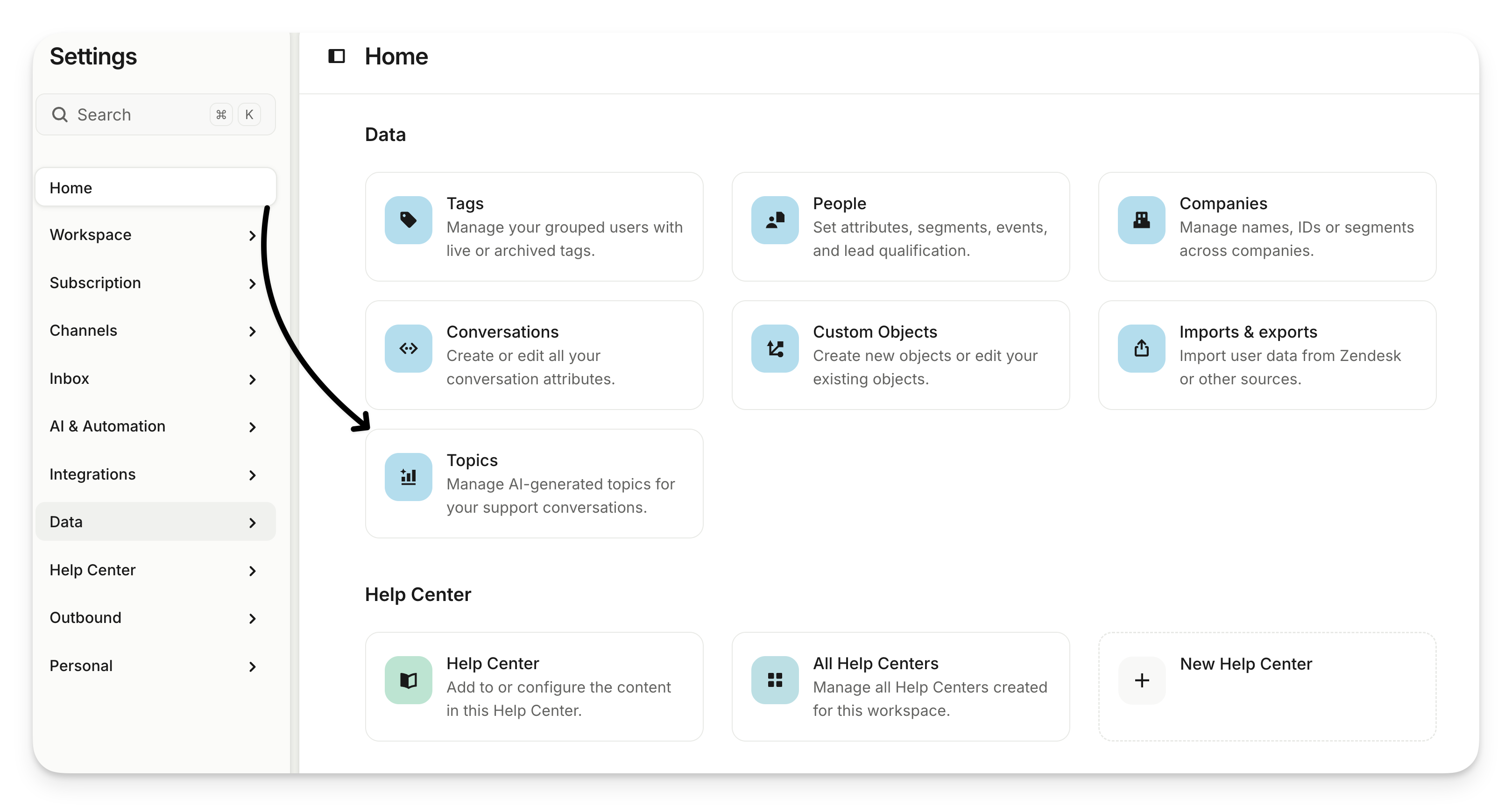
While AI-generated topics provide a strong starting point, you can refine them using topic curation to better reflect your business. This includes merging similar topics, renaming them for clarity, or removing irrelevant ones. By tailoring topics to match your product, terminology, and priorities, you ensure your insights stay accurate and actionable over time.
Topic curation helps you maintain a clean and meaningful topic structure, so your team can trust the data and focus on the issues that matter most—whether that’s uncovering bugs, reducing support volume, or improving customer experience.
